
Understanding the Hub
What is Hub Exaduo?
Hub Exaduo gives the school online portals, in its colours and at its addresses, for everyone who has no account in its HubSpot. Each portal handles a file from start to finish and writes everything, as it goes, into the school’s HubSpot.
The Hub is…
The flexibility of custom-built, the reliability of a product.
A product, not custom development
Every school has the same Hub, already available: it plugs into your HubSpot and your school is up and running in one to two weeks. What differs from one school to another is set in the administration, with no development.
Modules to choose from
Applications, enrolment, lecturers, panels, agents: each school takes the ones it needs. Each module becomes a tab on its audience’s portal.
HubSpot at the centre
Contacts, deals, answers and documents are in the school’s HubSpot. Your teams work there as usual.
Data that stays with the school
Exaduo keeps no files: only the school’s configuration and the log of its settings.
Fully customisable
Forms, documents, fees, statuses, pipeline, colours, addresses: the school sets everything itself and publishes straight away. The Hub adapts to your processes, not the other way round.
An AI assistant, 24/7
Connect your HubSpot customer agent to the portals: it answers applicants at any hour, knowing who they are.
How it works
The portal collects. Your HubSpot keeps everything.
One portal per audience
Everyone has their portal, at the school’s address.
A portal is closed, for contacts the school already knows, or open for applications: anyone who proves their email address creates their space, and the Hub creates their contact in HubSpot.
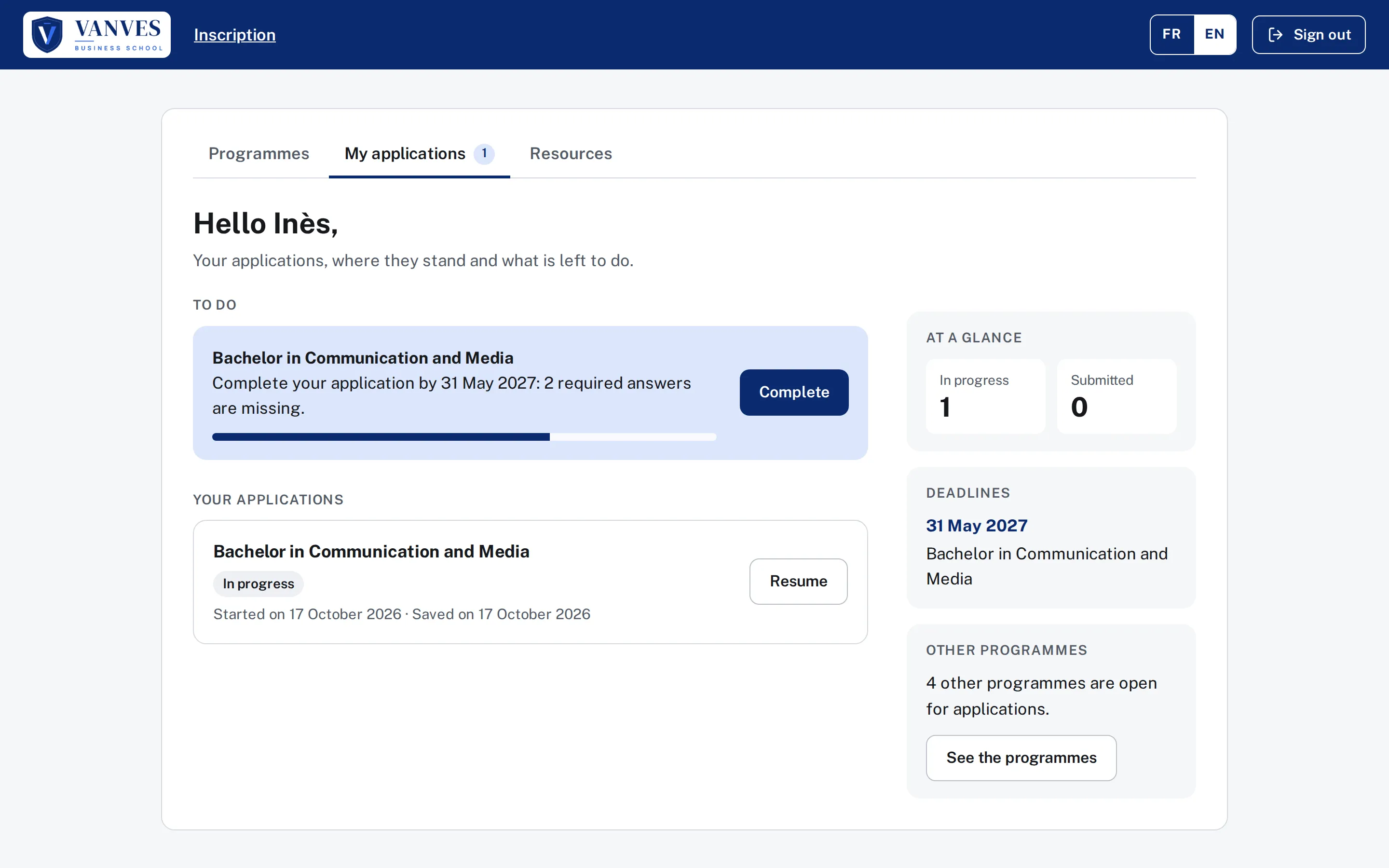
Applicants and admitted students
applications.yourschool.com
Apply, book an interview, then enrol once admitted.
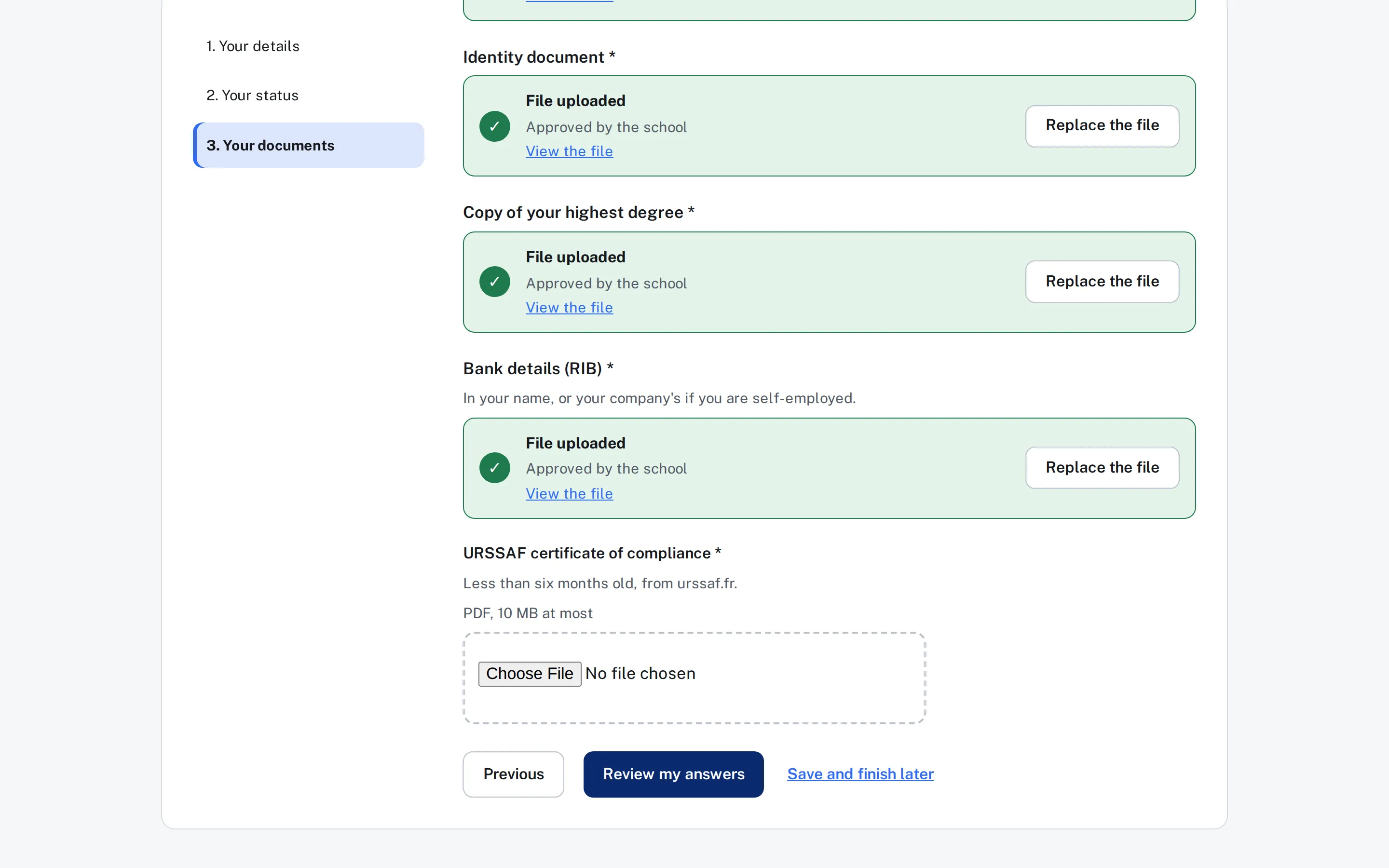
Lecturers
lecturers.yourschool.com
Complete their administrative file each year and upload their documents.
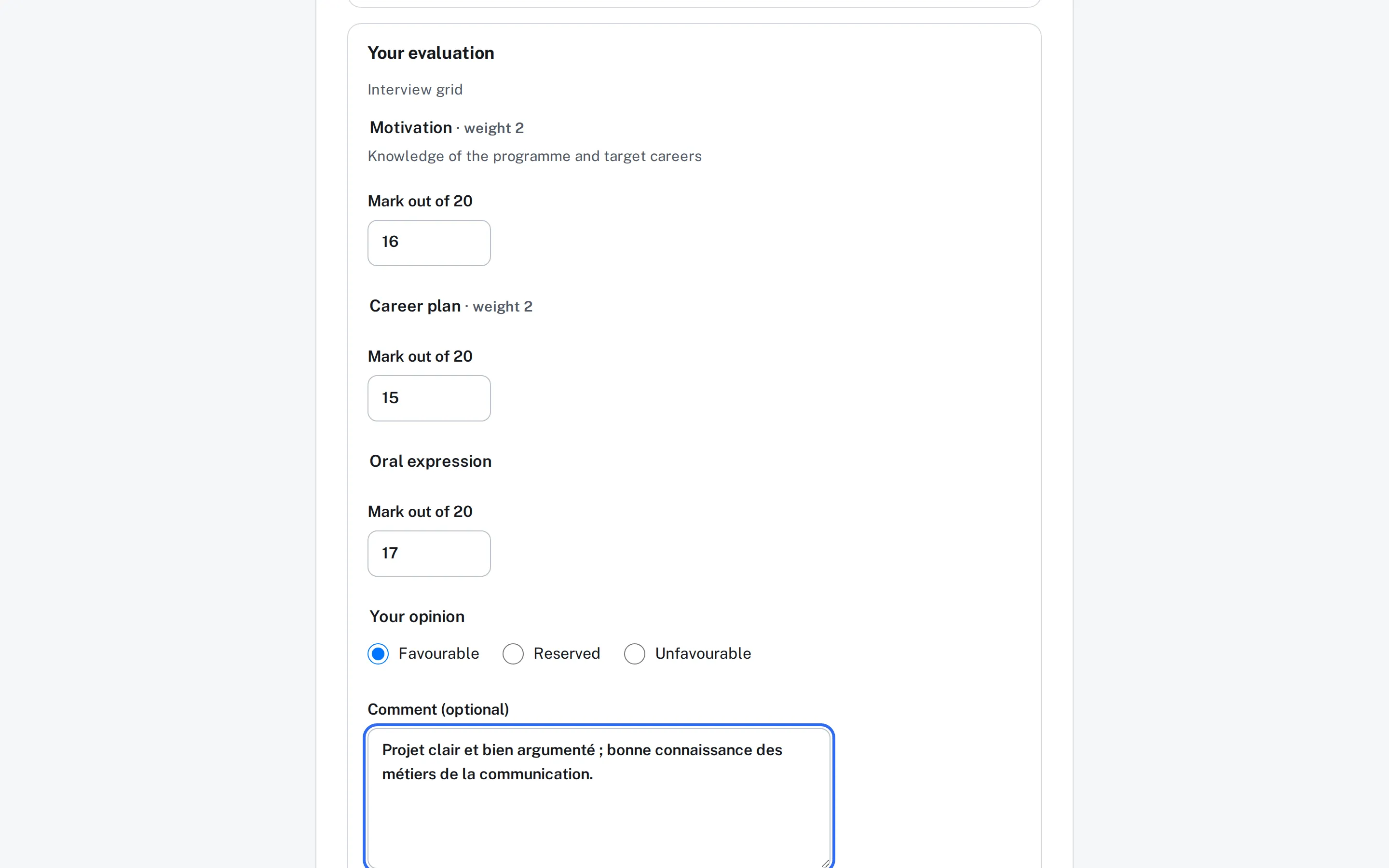
Panel members
panel.yourschool.com
Give their availability, read the files, assess on the school’s grid.
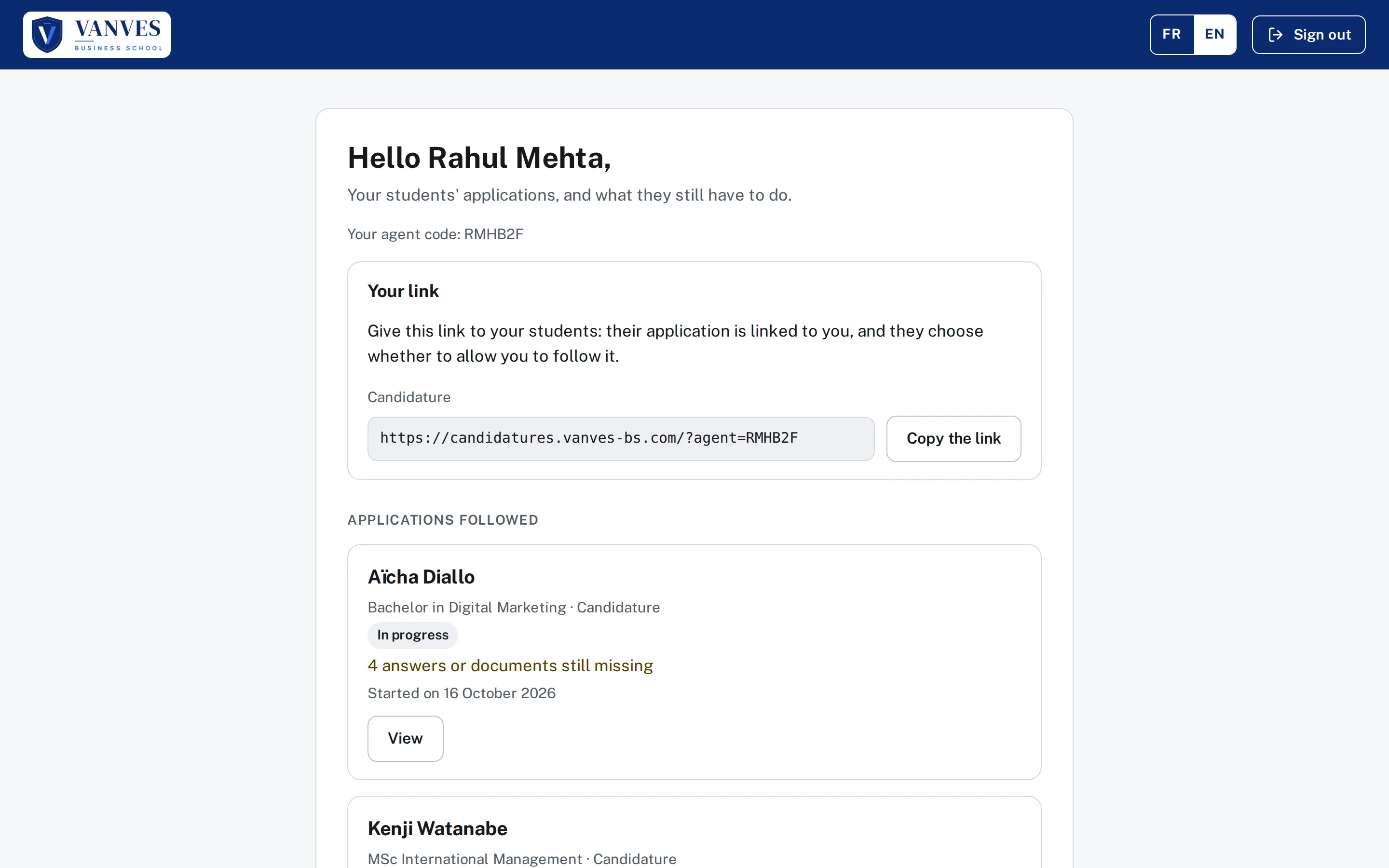
Recruitment agents
agents.yourschool.com
Follow their students’ applications, with their consent.
One person’s journey
From application to enrolment, on a single deal.
Ada applies online. All along, the school follows a single deal in HubSpot.
She applies
On the school’s portal, she completes her file, uploads her documents, pays her application fee and receives her submission receipt.
She books her interview
The school invites her: she picks her time slot from her file.
The panel assesses her
Panel members read her file on their portal and assess her on the school’s grid. The panel gives an opinion, the school decides.
She is admitted
The school moves the deal forward: the “My enrolment” tab appears, with her application answers already filled in.
She enrols
She pays her deposit on the school’s provider’s page.
Your questions
Answers to the questions we hear most.
Your data
Where is applicants' data?
In the school’s HubSpot, and nowhere else. Contacts, deals, answers, documents as private files, evaluations: the Hub writes everything into your HubSpot as it goes. Uploaded documents pass through the application without being stored.
What exactly does Exaduo keep?
Your school’s configuration (forms, settings, branding), the administration audit log and the technical state of payments in progress. No files. One exception: if HubSpot briefly refuses a write, the entry waits, encrypted with a key specific to your school, and is deleted at the latest 72 hours later.
What if we stop using the Hub?
Your data stays where it is: in your HubSpot. There is nothing to retrieve from us.
Where is the Hub hosted?
On Microsoft Azure, France Central region: configuration database, cache, key vaults. Sign-in emails are processed in France and sent from the school’s domain.
Does the Hub see bank details?
No. Payment happens on the page of the school’s provider (Stripe or Paybox), with the school’s own account. Money never passes through Exaduo, and every payment outcome is checked with the provider before the file is submitted.
What about GDPR?
The school stays in control of its data, in its HubSpot: it decides what it asks for and how long it keeps it. Exaduo provides the application and acts on its behalf. Each portal shows the school’s privacy notice. Details are in the privacy policy.
Security
How do people sign in?
No password: a code received by email, valid for 10 minutes, usable only on the device that requested it. Optionally, “Continue with Google” or “with Microsoft”, which only proves the address. A session closes after an hour of inactivity.
What happens if HubSpot is unavailable?
Nothing is lost. The entry waits, encrypted, to be written as soon as HubSpot answers. The applicant sees “Received, being sent to the school”, never “Saved” before HubSpot has answered, and your administrators are alerted if the write does not go through.
What about social security numbers?
They are never kept, and neither is disability status. Entered when a document is signed, they are printed in it, then forgotten: only the signed document, stored in your HubSpot, contains them.
Who did what in the administration?
The audit log tells you: sign-ins, settings, published forms, payment accounts, administrators added or removed. It belongs to the school, which filters and exports it, and sets its retention from 12 to 36 months.
How is security checked?
Through regular security audits. Our security file is available on request.
Your HubSpot
Which HubSpot edition do we need?
Professional is enough: the Hub does not require Enterprise.
How does the Hub connect?
Through Exaduo’s HubSpot app: you connect it from the administration, with no key to create. The Hub checks the rights granted and does not ask for the right to delete files.
Will the Hub create things in our HubSpot?
Only what it needs, and with your consent: “Prepare HubSpot” shows the exact list of properties before creating them, all prefixed exa_ and stored in their own groups. You can point to one of your own fields instead. The Hub never changes a school field.
Do we need a new pipeline?
No. The Hub hooks into yours: for each form, you choose the pipeline and its key stages. It never moves a deal backwards, and never past submission: the decision is yours.
Who sends emails to applicants?
Your HubSpot workflows: confirmation, reminder, invitation, decision. The Hub only sends the sign-in code, on behalf of the school.
Where are our programmes?
They are your HubSpot products. The Hub reads them without copying them; a checkbox says which portal each one appears on, with its dates, form and fees.
Getting started
Can we customise the Hub?
Yes, fully, and by your own teams: forms, steps, questions, documents, fees, promo codes, file statuses, pipeline, colours, logo, photo, addresses and languages. The Hub adapts to your processes, with no development and no waiting for a release.
Can an assistant answer applicants at any hour?
Yes. Connect your HubSpot customer agent to the portals: AI answers applicants 24/7, using your knowledge base, knowing who they are. The chat and the agent are set up in your HubSpot.
Can the Hub be administered from an AI assistant?
Yes: Claude, ChatGPT, Copilot… The Hub has its own MCP server: you authorise it on the schools you choose, then set your forms, statuses, promo codes, languages, branding and resources in plain language. The AI shows you the before and after and writes only with your approval; no application file and no personal data goes through the server.
How does going live work?
In one to two weeks. Exaduo creates your school and declares your portals’ addresses. You publish the DNS records, connect HubSpot, set up your branding, forms, programmes and payment accounts, with us if you wish. A “Getting started” list shows what is left to set before opening.
Can we change our forms ourselves?
Yes. The editor in the administration lets you build and publish your forms, fees and texts, without Exaduo and without development. A new programme: create it in HubSpot, add its form, and it is live straight away.
How much does it cost?
Pricing is on request. Book a demo: we will present it with the Hub.