
For schools that run on HubSpot
The missing link between HubSpot and your applicants.
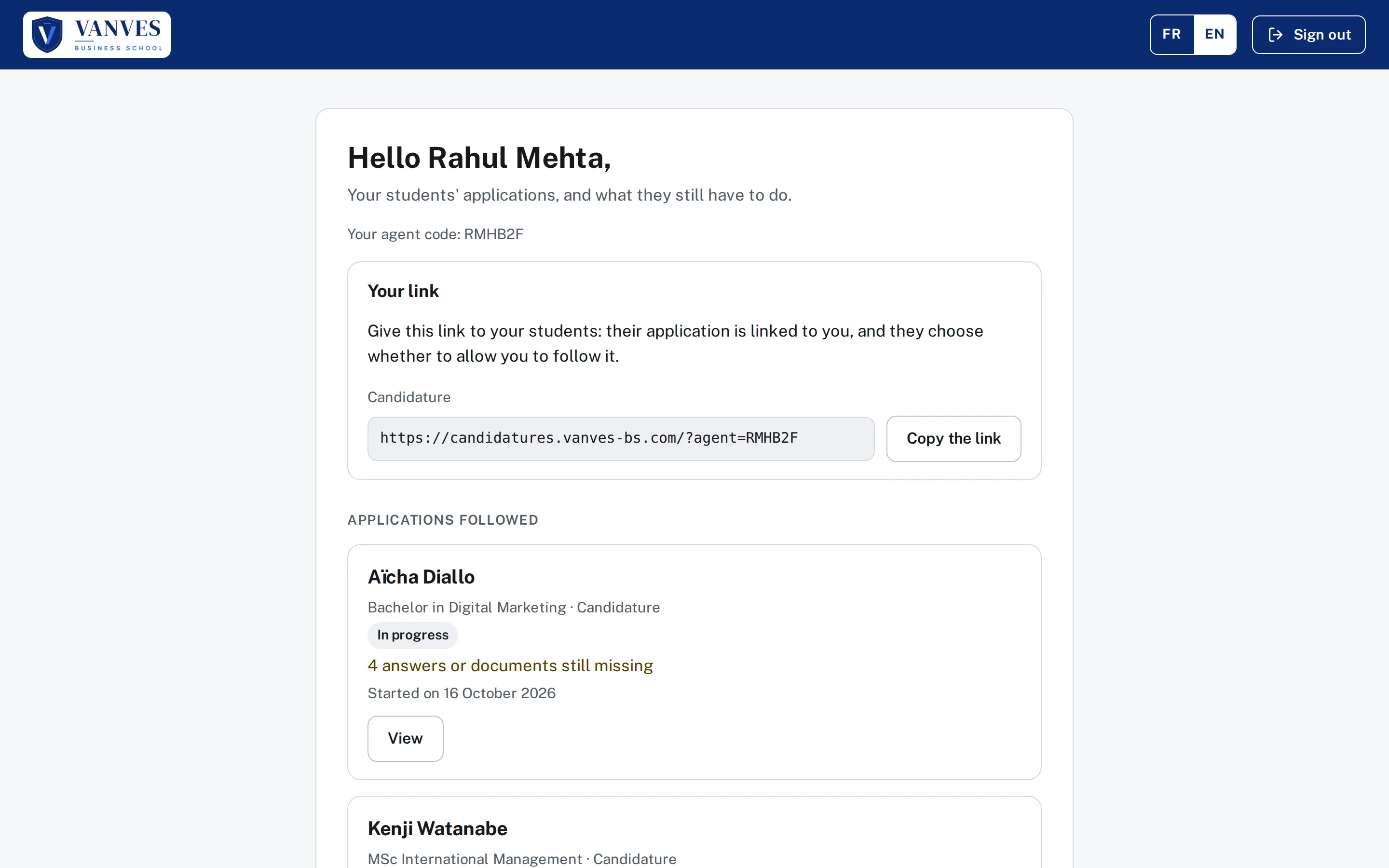
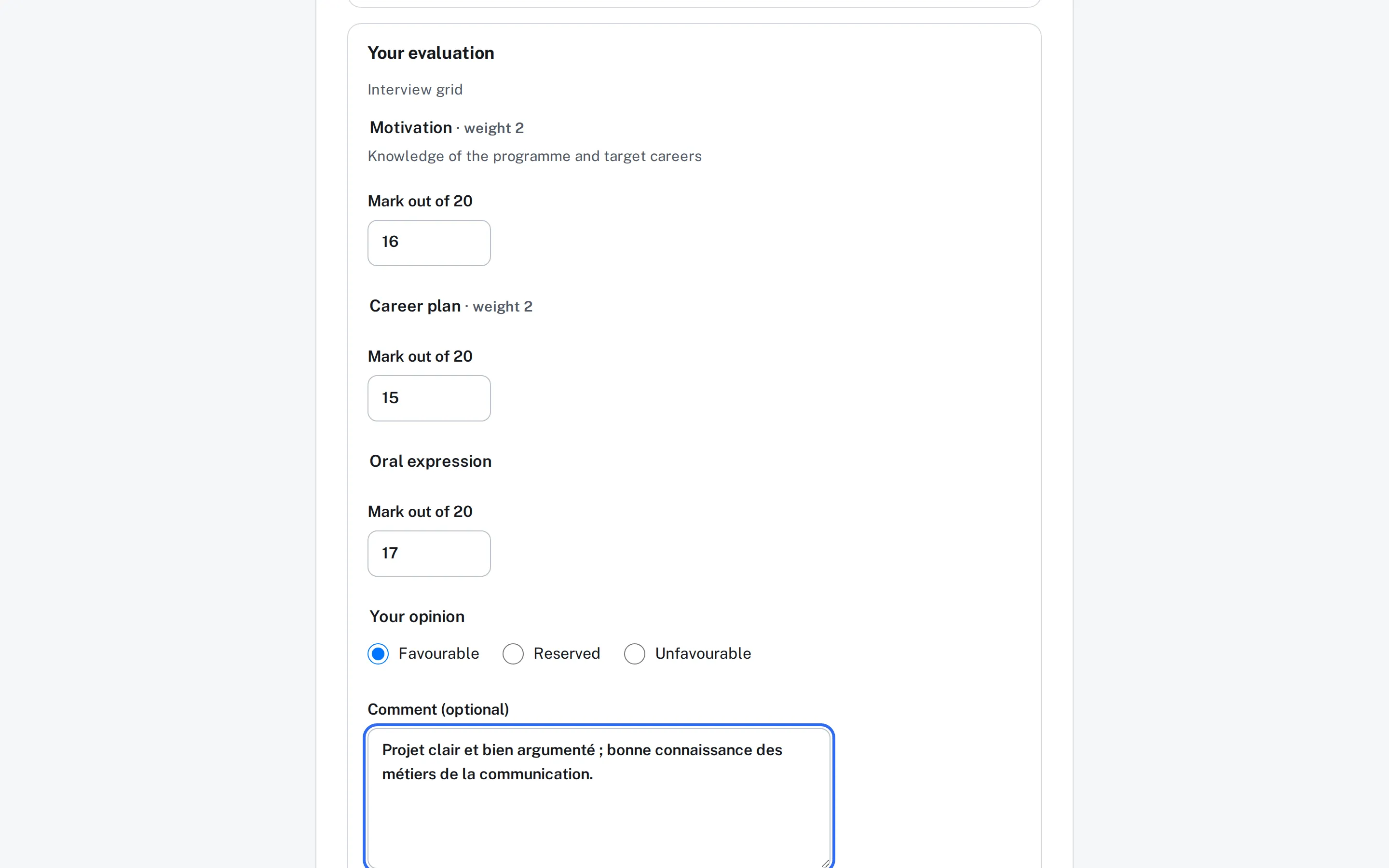
Hub Exaduo extends your HubSpot to your applicants, admitted students, lecturers, panel members and agents: portals in your colours, designed for schools, where everything is written straight into your CRM.
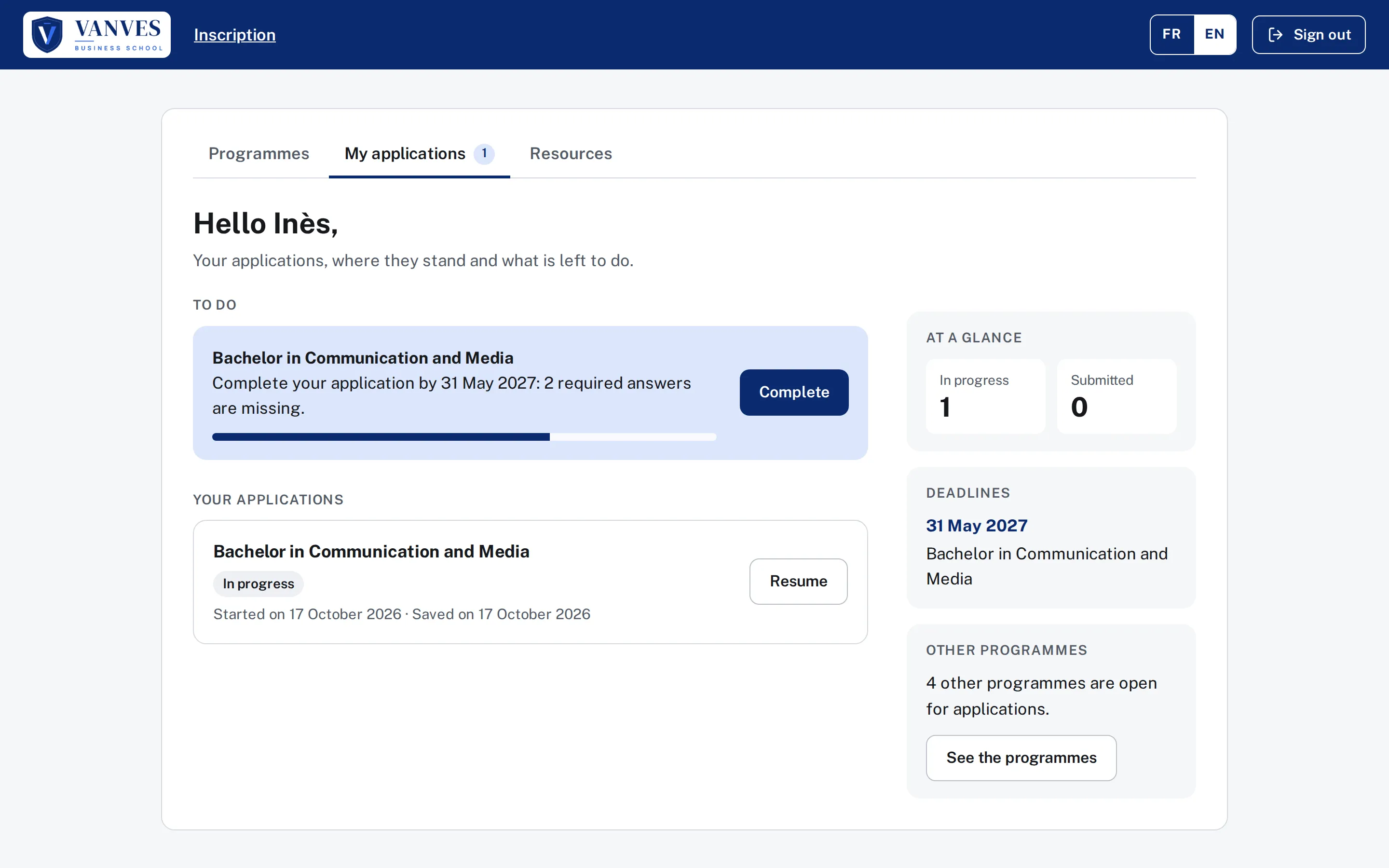
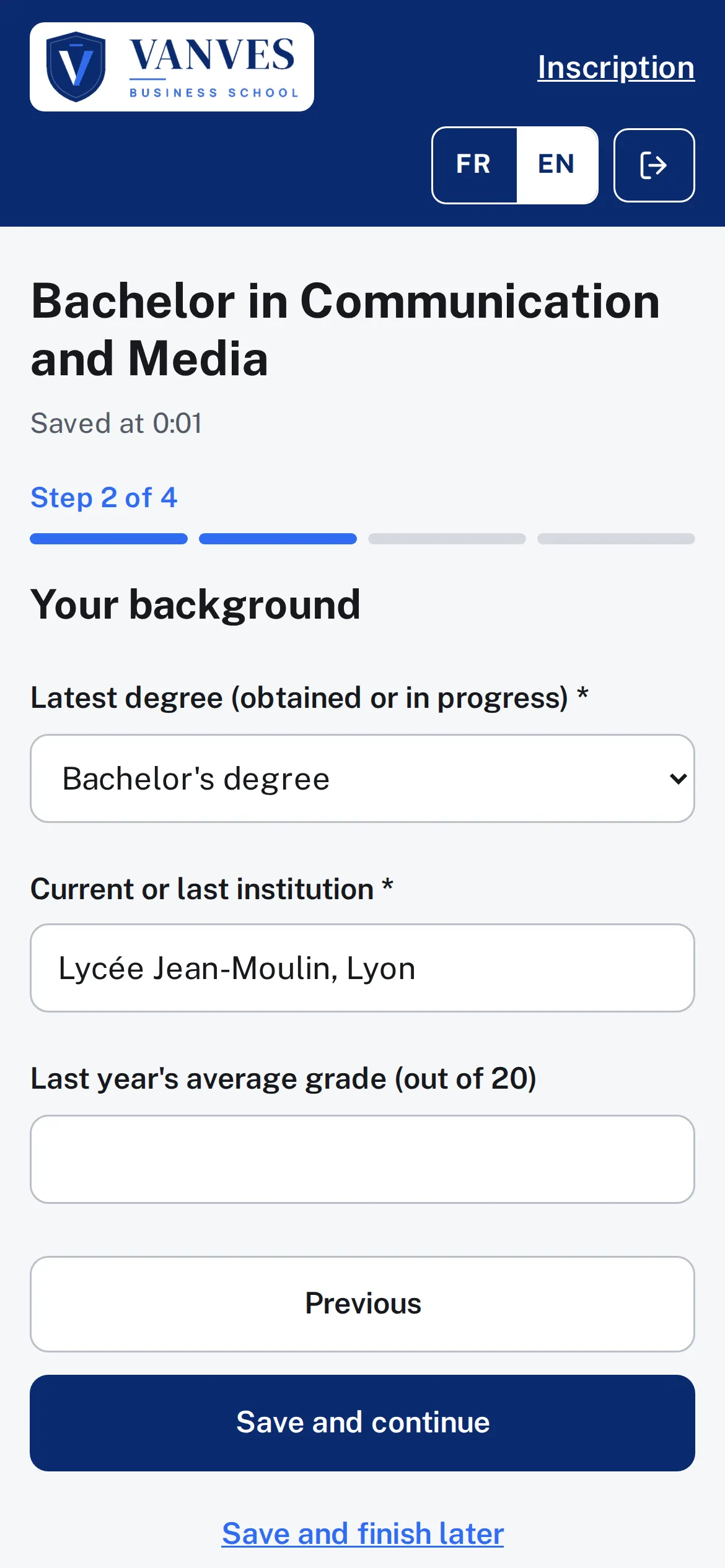
- Fully customisable
- Data in your HubSpot
- Up and running in 1 to 2 weeks
The Hub in 30 seconds
Three steps, and your admissions go digital.
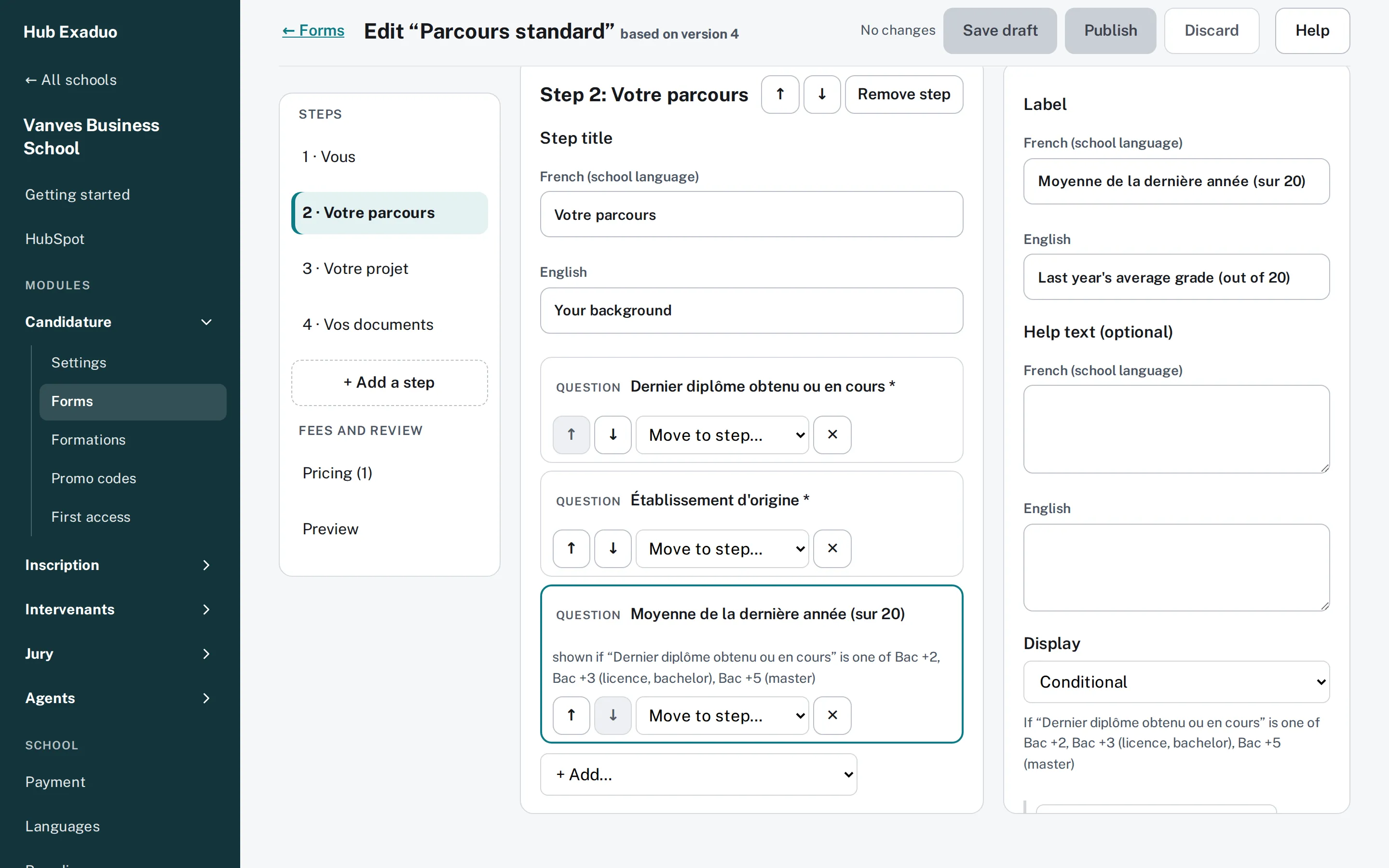
You set up your portals
Forms, documents, fees, colours, addresses: your teams set everything in the Hub's administration, with no development.
They complete everything online
Everyone has their portal, on phone or computer: file, documents, payment, follow-up. Your AI assistant answers their questions 24/7.
In your HubSpot
- The contact, created or matched
- A deal in your pipeline
- The documents, as private files
- The payment, verified
- Where the application came from
Everything lands in your HubSpot
No more scattered files: HubSpot is at the heart of it all. Your teams find every file up to date there, your workflows send the reminders, you decide.
One platform, one portal for each use
The modules
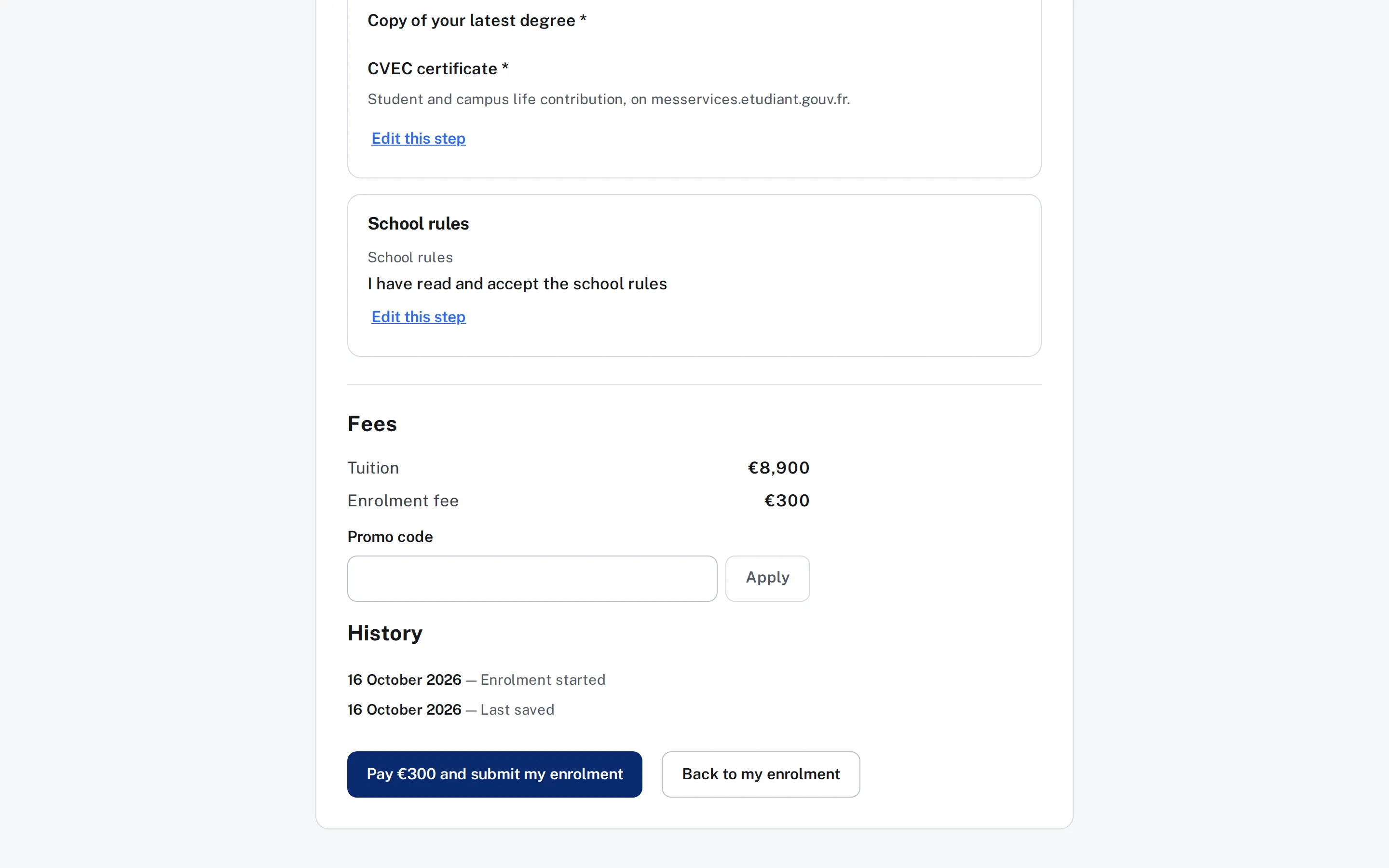
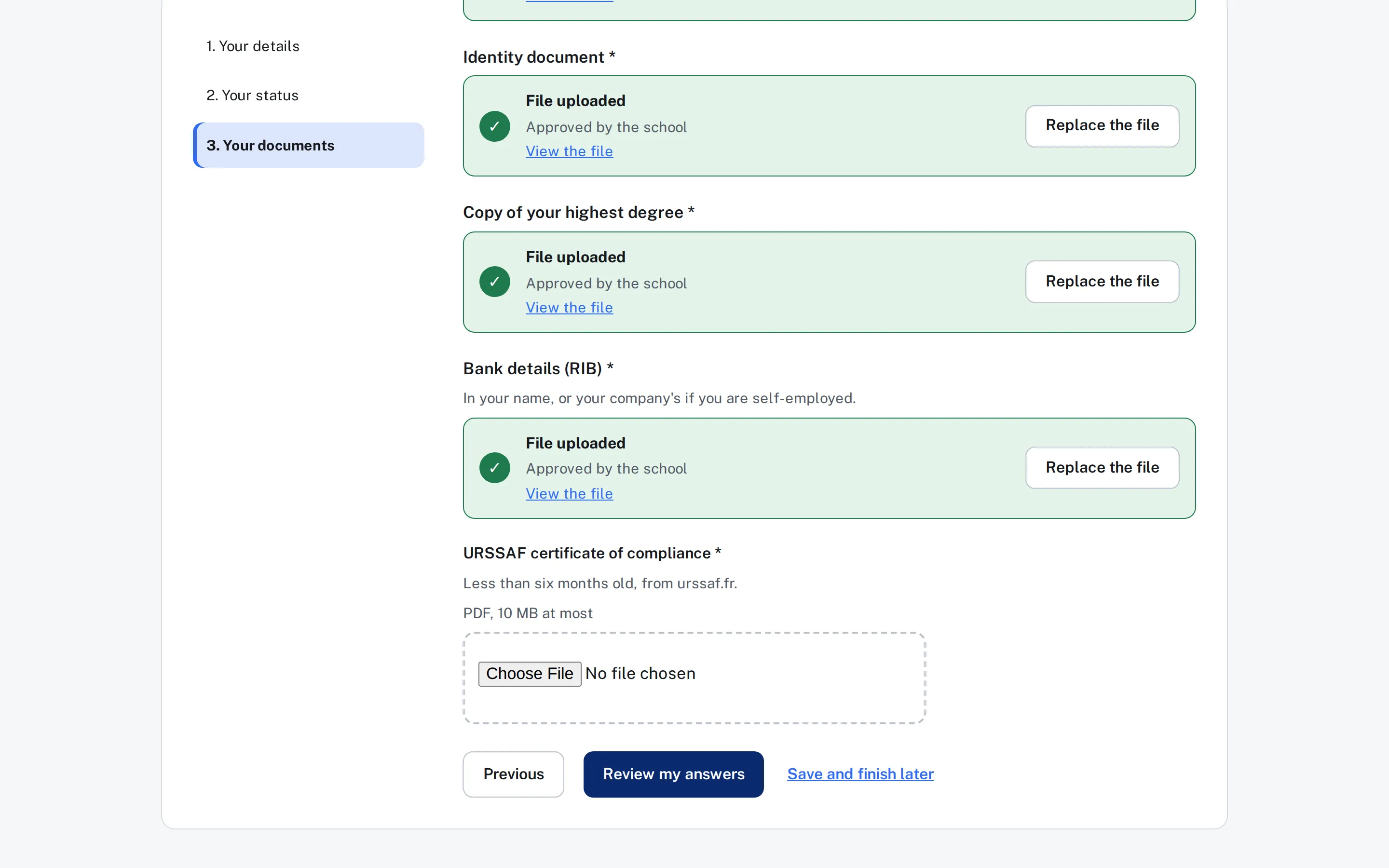
Each module has its own address and takes on the school’s colours, logo and photo. Several schools can share one HubSpot, each with its own portal.
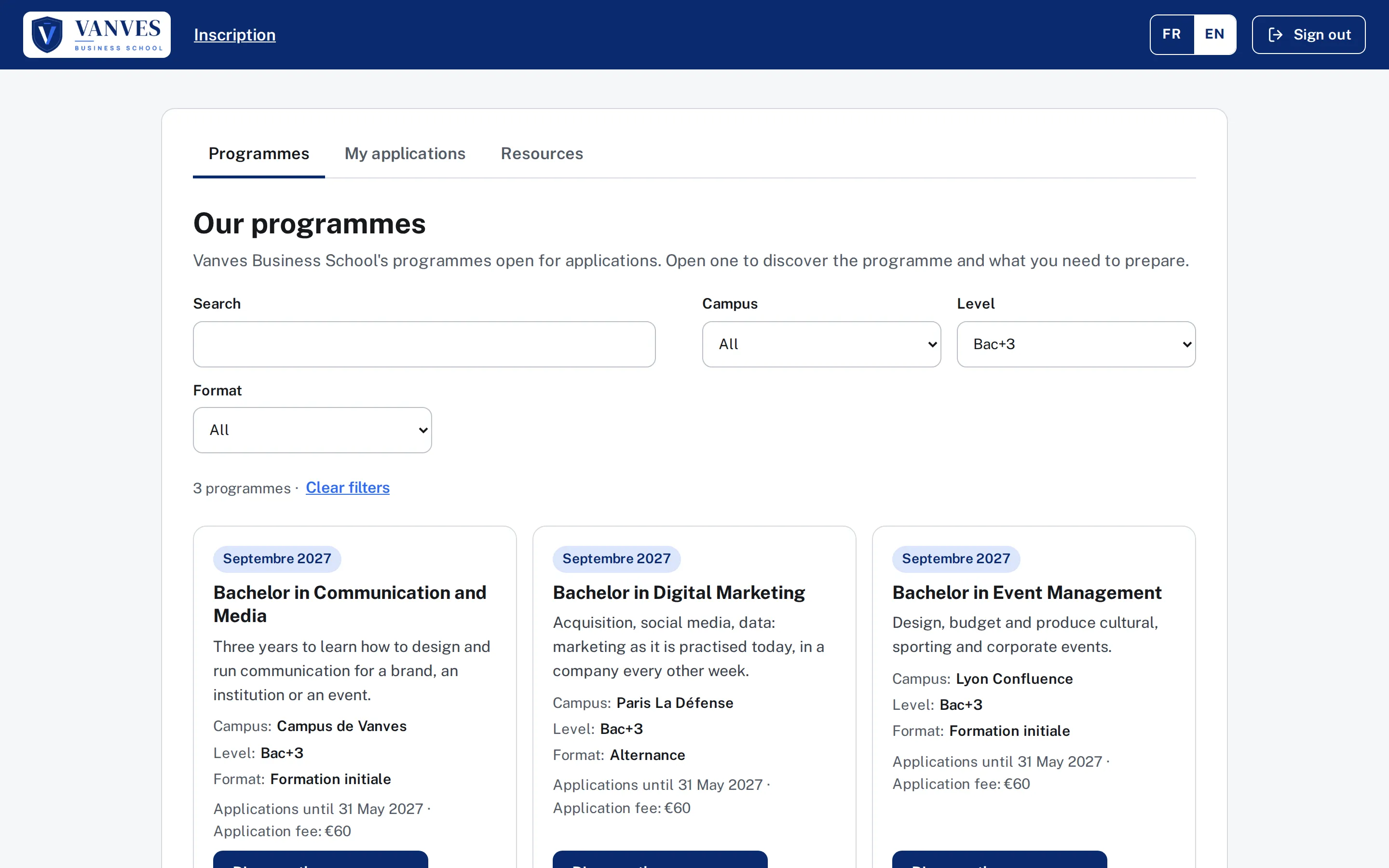
Plug and play
Already available. Just plug it in.
The Hub is not a project to launch: it is a product that already runs. You connect it to your HubSpot, set it up, and open.
Day 1
You connect your HubSpot
Nothing to develop, nothing to install: the Hub is already available. You connect your HubSpot and set up your school.
Within 1 to 2 weeks
Your school is online
Portals at your addresses and in your colours, forms, payment: your applicants can submit their files.
Then, in real time
Every addition, every change
A new programme, a question, a fee, a status: you change it in HubSpot or in the Hub, and it is live straight away.
What you gain
Admissions that reflect your school.
A student experience to match
A clear portal, designed for phones, in French and English. Everyone knows what is left to do and by when; they upload, pay and follow their file.
A modern image of your school
Your logo, your colours, your photo, your addresses. From the first click, applicants discover a digital school.
Teams that follow up instead of chasing
Every file arrives up to date in HubSpot, with its documents and payment. Incomplete files stand out, your workflows send the reminders.
Applicants supported 24/7
Connect your HubSpot customer agent to the portals: AI answers applicants at any hour, knowing who they are.
Your school, your rules
Software that adapts to your school, not the other way round.
Your processes are unique. The Hub is set up around them, by your teams, with no development and no waiting for a release.
Understand the Hub →- Your forms: steps, questions, conditions, preview
- Your documents, their formats and validity
- Your fees, deposits and promo codes
- Your file statuses, in your own words
- Your HubSpot pipeline and workflows
- Your brand, your addresses, your languages
AI-powered administration
Set up your portals by talking to your AI.
The Hub has its own MCP server. Connect it to your AI assistant, whether Claude, ChatGPT or Copilot, and run your portals in plain language: you ask, the AI prepares, you approve.
- Your approval for every change: the AI shows you the before and after.
- Only on your schools, with your rights, and recorded in the school’s audit log.
- No application and no personal data goes through the AI.
- Add the question “How did you hear about us?” to the application form of our three schools.
- Create a promo code for the applicants we met at Saturday’s fair.
- Switch the application portal to the school’s new colours.