
Modules and features
What Hub Exaduo does.
Each module has its own address, in the school’s colours, and writes into the same HubSpot. Everything below is available today.
For your candidates
Applications
Availableapplications.yourschool.com
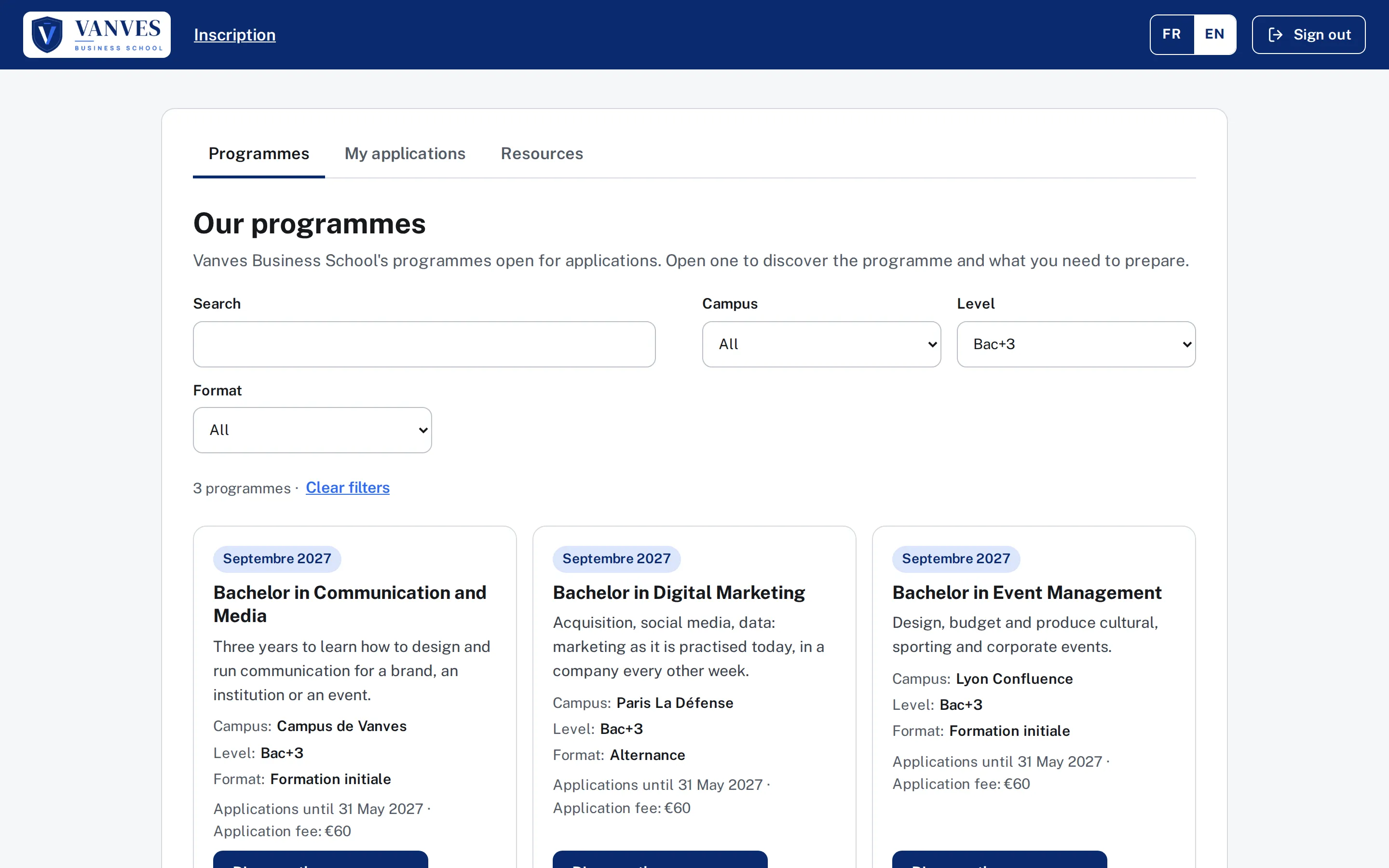
The candidate arrives on the school’s application portal, at its address and in its colours. They sign in with the code received by email, choose their programme and complete their application.
- The catalogue lists the programmes you offer, straight from your HubSpot products. You choose the fields shown and the filters: campus, level, study mode.
- The step-by-step application is saved at each step. The candidate can stop and come back later; you can follow up with them, since their answers are already in HubSpot.
- “To do” tells them what is missing before the programme’s deadline.
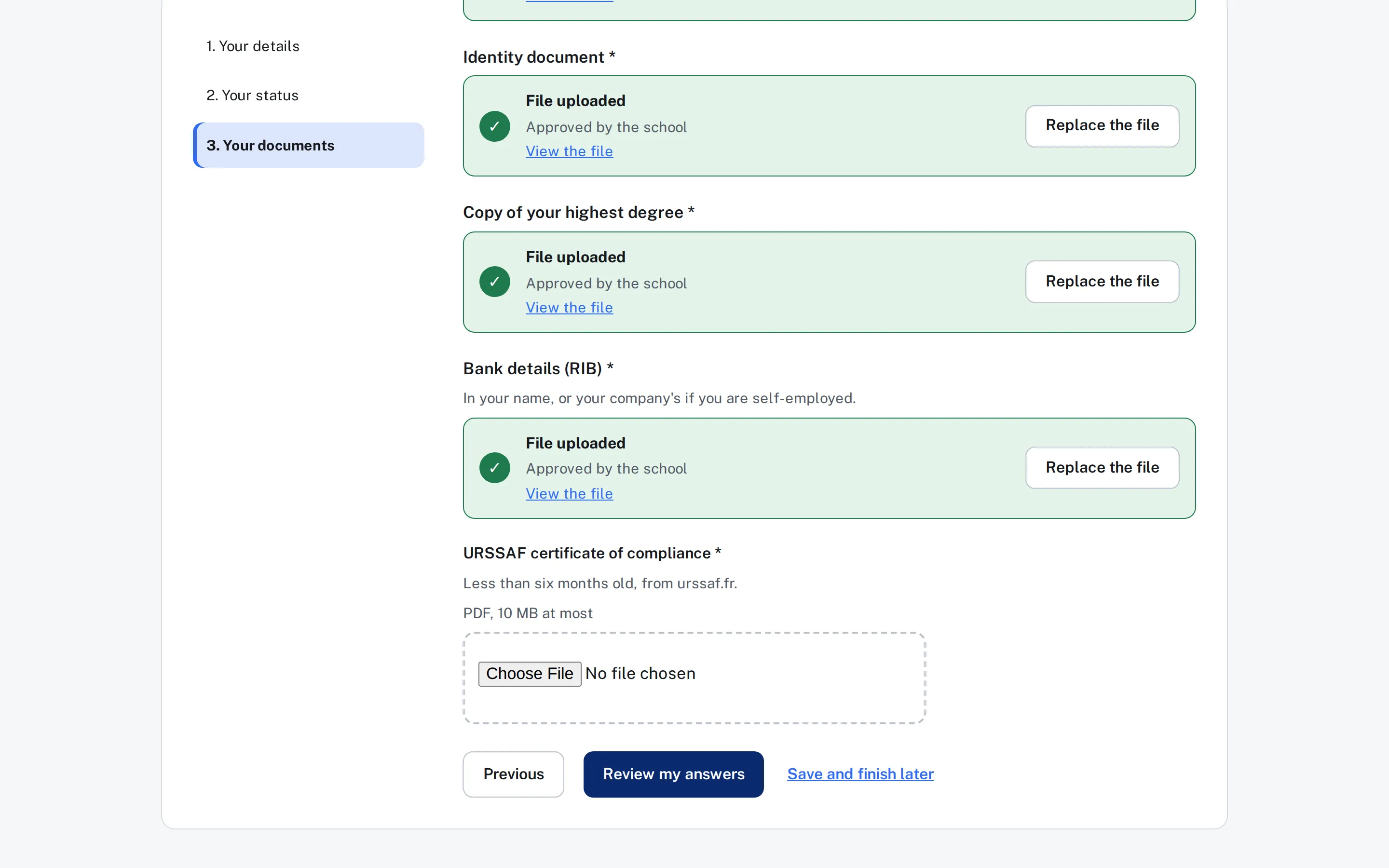
- Documents are uploaded as private files to your HubSpot. Those that can wait are uploaded after submission.
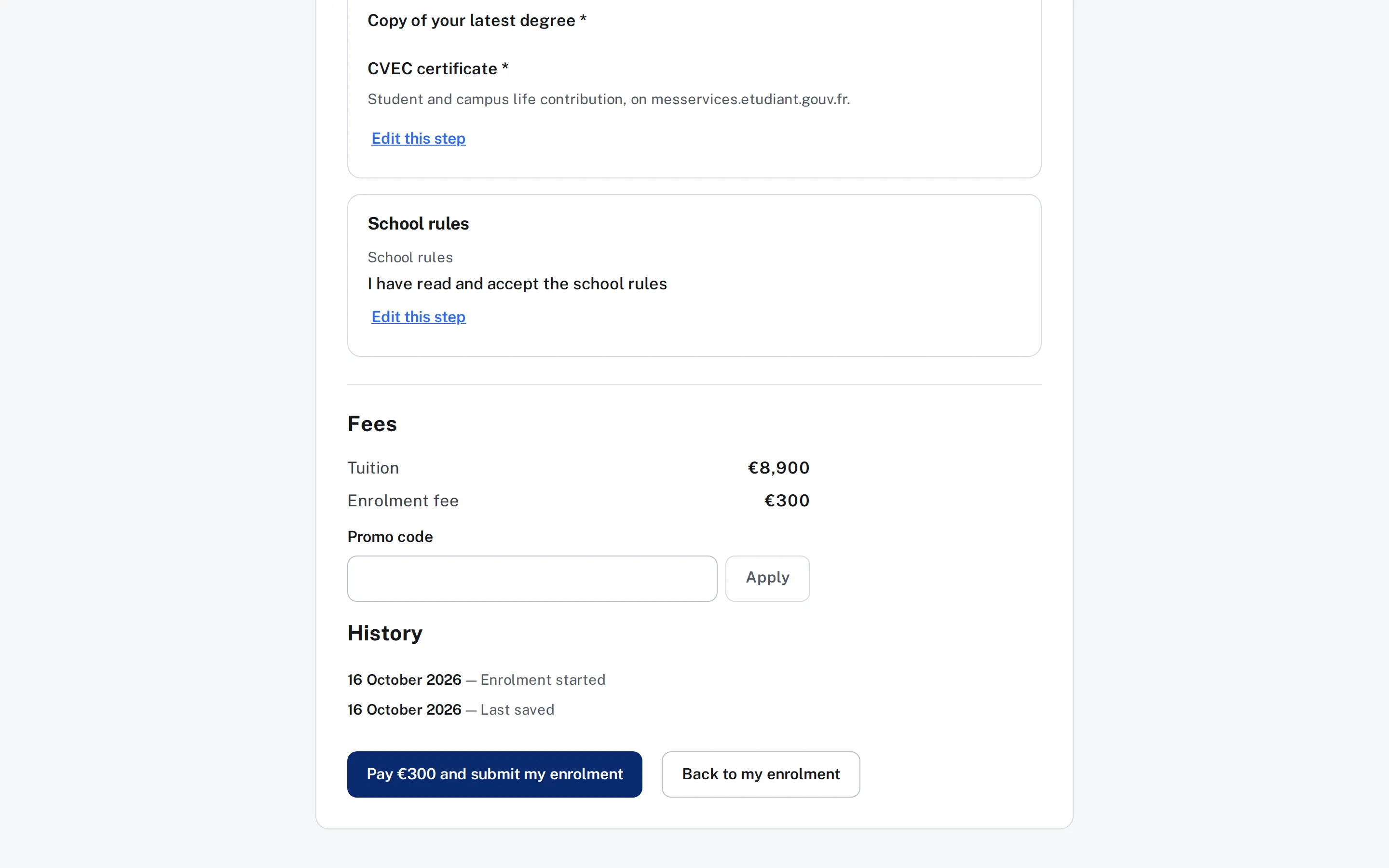
- Application fees are calculated by your rules, with promo codes if you wish, and paid on your provider’s page.
- The submission receipt, a PDF in your colours, is stored in HubSpot and can be downloaded by the candidate.
For your admitted students
Enrolment
Availableup to paymentapplications.yourschool.com
Enrolment does not start from a catalogue: it opens when you move the deal to the stage you have chosen. The Hub knows nothing about Parcoursup or entrance exam banks: you import your admitted students into HubSpot, and their enrolment opens.
- The same file, on the same deal as the application: one single sale in your forecasts.
- Documents already provided with the application are carried over; the candidate does not upload them again.
- Enrolment fee or deposit, calculated by your rules and paid on your provider’s page.
- The resource library: rules, welcome booklet, calendar, targeted by programme or by answer.
For your recruitment agents
Agents
Availableagents.yourschool.com
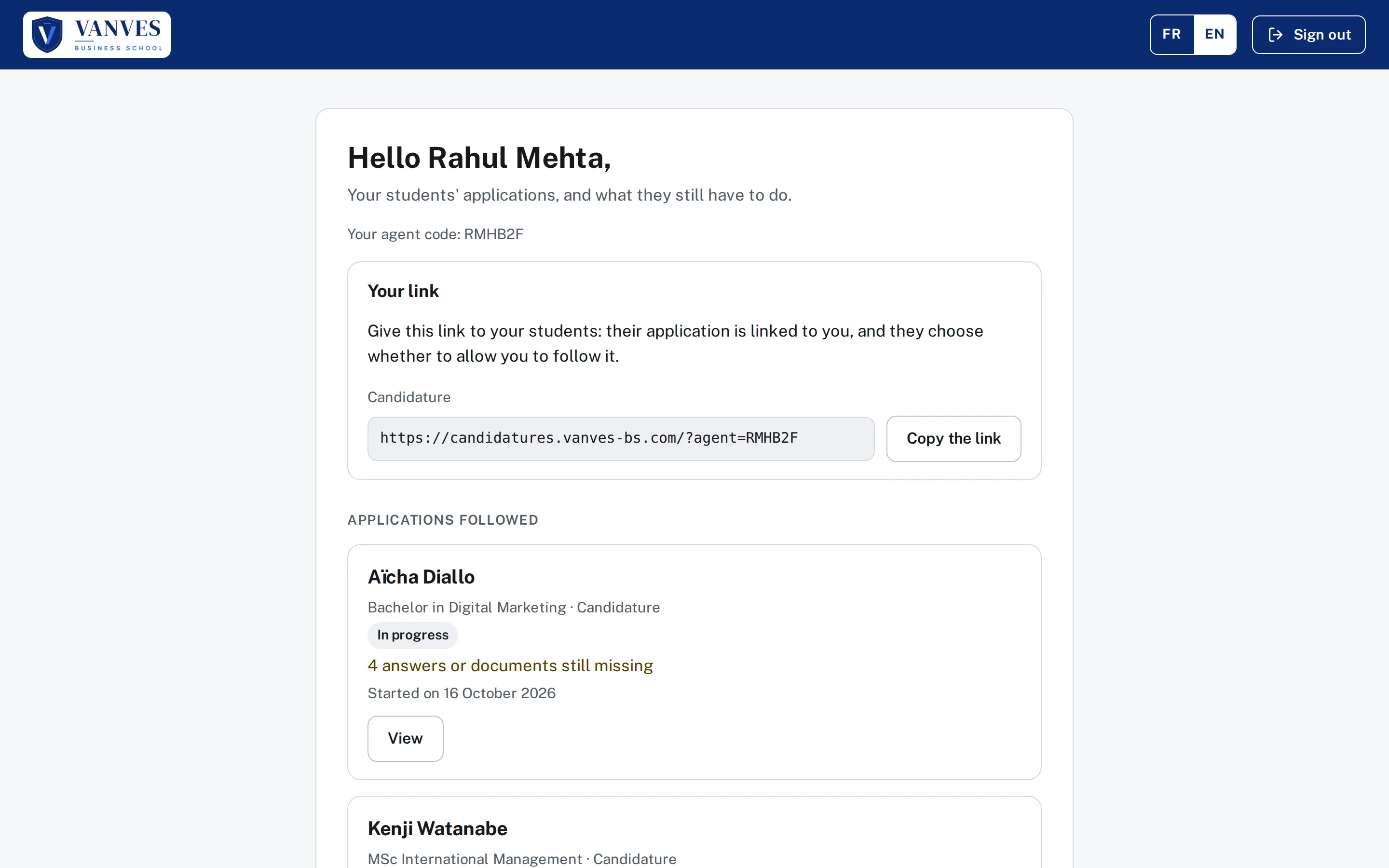
Your international recruitment agents are contacts in your HubSpot. Each one gets a code and a link to share.
- The candidate applies themselves. They name their agent with the code, or arrive through the agent’s link.
- They give their consent for the agent to follow their application. Without consent, the agent is recorded on the deal but sees nothing.
- The agent follows progress on their portal: status, what is missing, dates. They only see the questions and documents you choose.
- Nothing is kept at Exaduo: agent, code and link to the application live in your HubSpot.
For your panel members and candidates
Panels and interviews
Availablepanel.yourschool.com
The panel sits between the application and enrolment. Your panel members, school staff or external guests, sign in to the panel portal with a code received by email, with no HubSpot licence.
- You open sessions: date, times split into slots, place or video call, panel members.
- Panel members give their availability over a period you open; you build the sessions with it in view.
- The candidate books their slot once you have invited them. Your HubSpot workflows send the invitation.
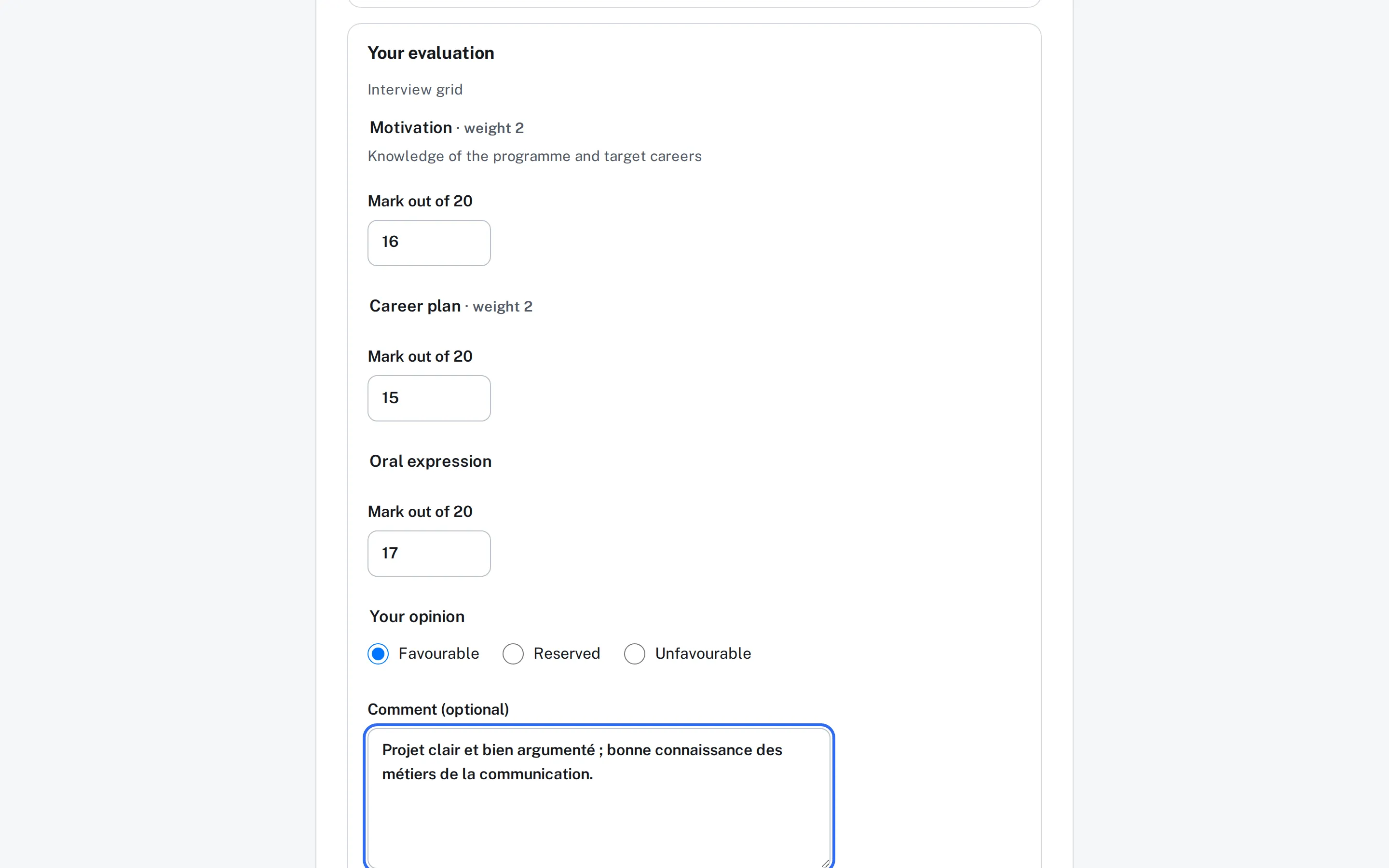
- The panel member reads the file in read-only mode, limited to the questions and documents you choose to show.
- Each assessment goes as a note on the deal; the average and the opinion are calculated in HubSpot properties.
- The panel gives an opinion, the school decides. The Hub does not move the deal: your workflows follow these properties.
For your visiting lecturers
Lecturers
Availablelecturers.yourschool.com
Each year, and for each campus, you open your lecturers’ administrative file. They sign in to their portal, with no HubSpot account, and complete what is missing.
- One file per year and per campus, created by the school: the lecturer has nothing to choose.
- Approved documents are carried over from one year to the next. A document has a validity period: an expired certificate is requested again, an approved diploma is not.
- Nothing to pay for a lecturer: no fees, no promo codes.
- Answers and documents go into your HubSpot, just as for candidates.
For every module
What every portal can do.
These features are shared by all modules: the school finds them everywhere, set up the same way.
The candidate journey
Sign-in with a code, no password. "To do" says what is missing and by when; each step is saved in HubSpot.
Forms you edit yourselves
Steps, questions linked to your HubSpot properties, documents, conditions, fees, preview: the school builds and publishes on its own.
Documents and submission receipt
PDF, JPEG or PNG, stored as private files in HubSpot. You approve or reject in HubSpot; a PDF submission receipt comes with each file.
Payment
On the school's Stripe or Paybox account, on the provider's page. The file is only submitted once the payment is verified.
Application status
Applicants see where their file stands, in your words: "Under review", "Waiting list"…
Visit sources
Campaign, gclid, fbclid, landing page: the source of each application is written on the deal.
Chat and AI agent, 24/7
Your HubSpot chat on the portals, and your HubSpot customer agent answering applicants at any hour, knowing who they are.
French, English and international input
French and English, as the person chooses, international phone codes, long lists with search.
In the school's colours
Logo, colours, welcome photo and the school's own addresses: each portal is the school's own.
Several schools on one HubSpot
One group, one HubSpot: each school keeps its own portal, brand and forms.
Administration from your AI
The Hub's MCP server: set your forms, statuses, promo codes, languages, branding and resources by talking to your AI assistant, with your approval for every change.
Security and data
No student data at Exaduo.
It is the Hub’s founding rule. Your teams, your IT department and your DPO know where the data is: in your HubSpot.
- In your HubSpotContacts, deals, documents and assessments are written into the school’s HubSpot.
- Hosted in FranceThe application runs on Microsoft Azure, France Central region.
- No bank dataPayment happens on the Stripe or Paybox page, with the school’s own account.
- TraceablePassword-free access, regular audits, exportable audit log.